The gallery that remembers how you made it.
GenLens shows every Stable Diffusion render in your folder together with its prompt, seed, model and LoRAs. One file. Runs on your machine. Works with ComfyUI, Automatic1111 and Forge.
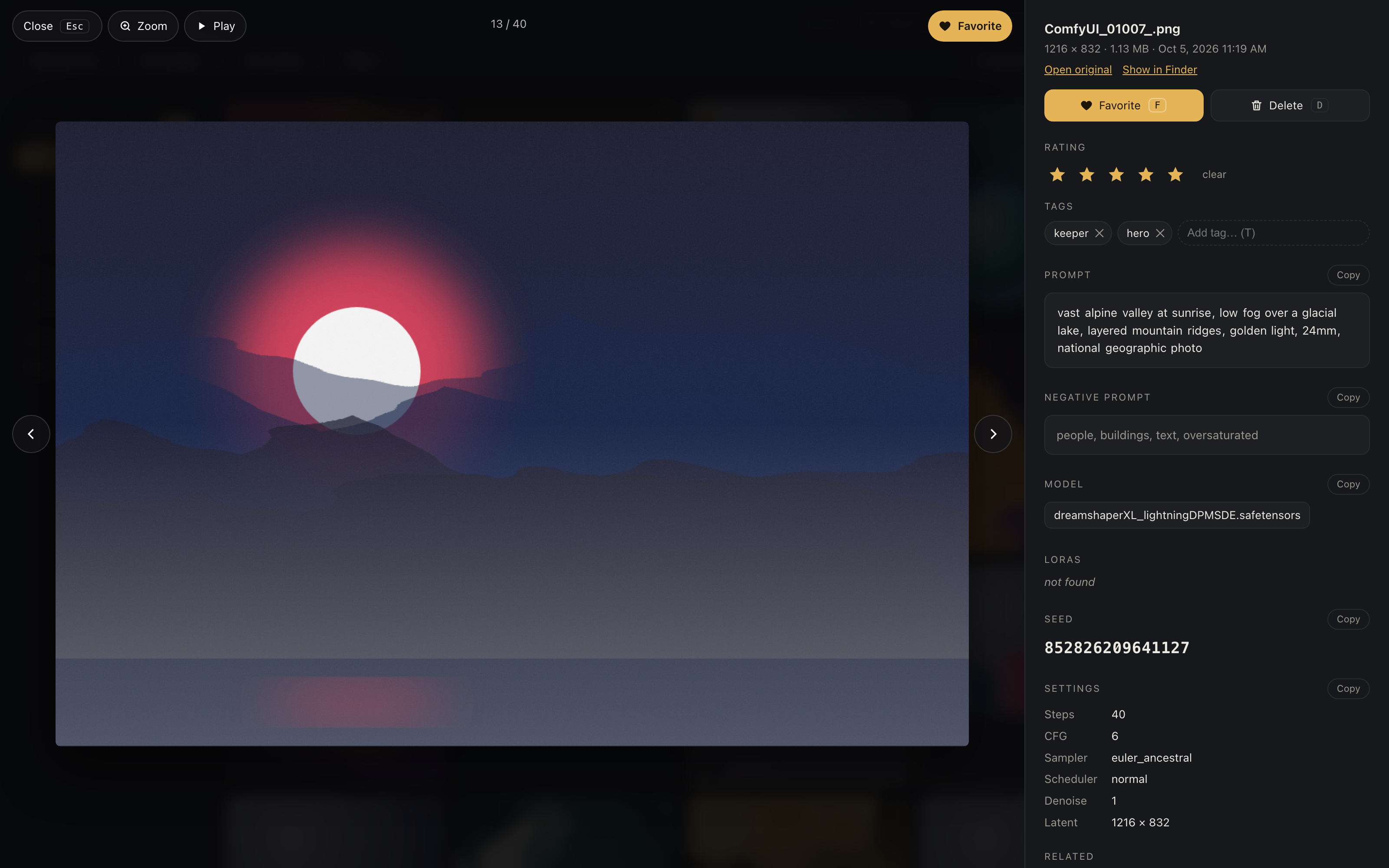
One image out of three hundred is perfect.
Which seed was it? Which LoRA weight? Which sampler? The answers are inside the file, but reading them means opening the PNG info tab for every single image. GenLens reads that metadata once, caches it, and puts every answer one click away.
Everything about an image, in one place.
Click any render and read its recipe. Copy the prompt or the seed and go straight back to generating.
The full recipe
Prompt, negative prompt, checkpoint or diffusion model, LoRAs with strengths, seed, steps, CFG, guidance, sampler, scheduler, denoise and latent size.
Back into ComfyUI in one click
Save an image’s workflow straight into ComfyUI’s Workflows panel, or queue the exact prompt again with the same seed and settings.
Compare side by side
Up to four images next to each other. Differing settings are highlighted and prompts are diffed word by word, so you see what changed between two seeds.
Search that understands your work
Plain words, quoted phrases and fields like seed:, model:, lora:, steps:>30 or date:week. Filter menus for model, LoRA, sampler, tool, aspect and tags.
Flag, rate, tag, clean up
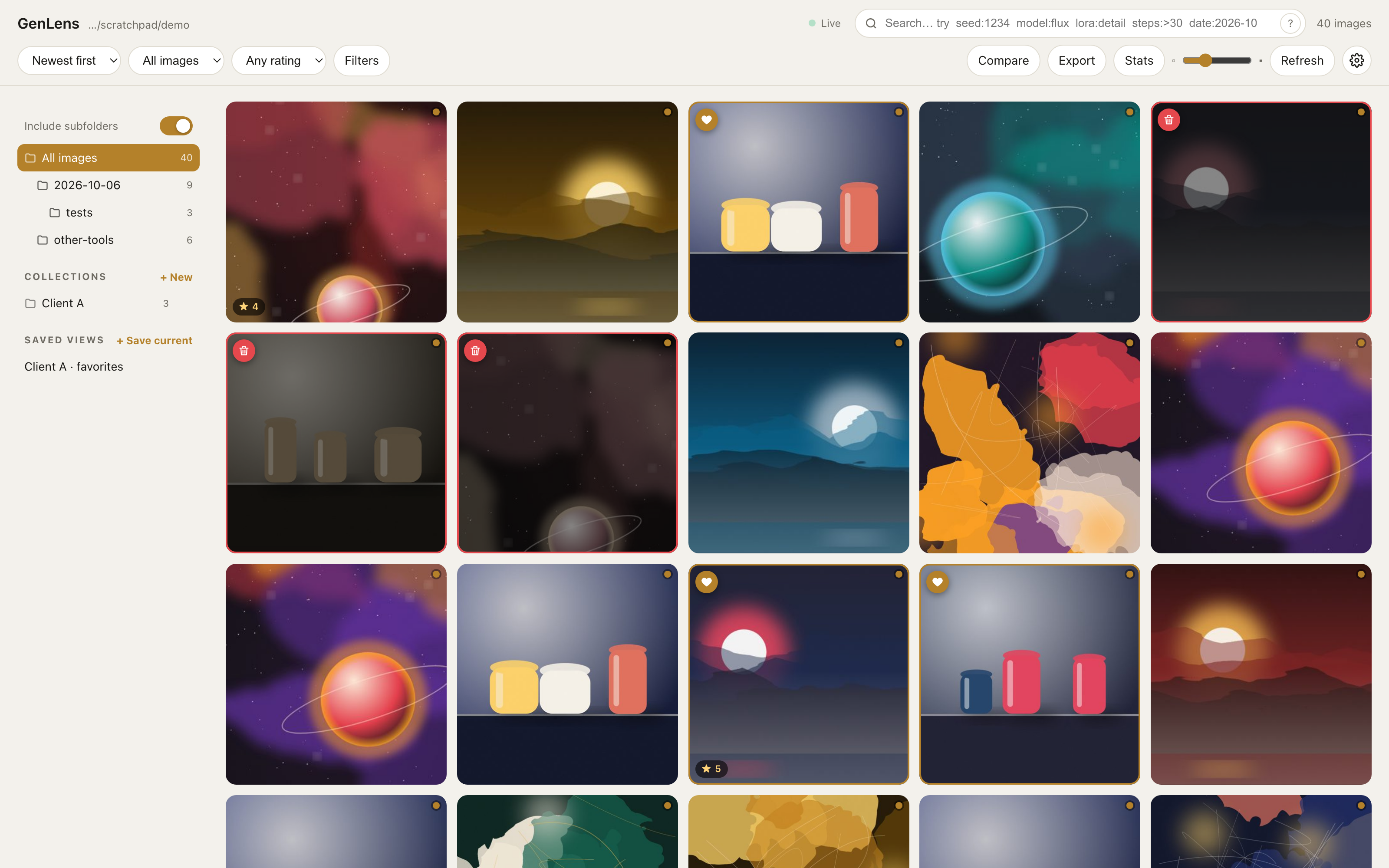
F to favorite, D to mark for deletion, 1 to 5 to rate, T to tag. Filter by any of it and move marked images to the Trash in one confirmed step.
Fast at any size, live
Background thumbnails and a metadata cache keep thousands of images quick to open. The grid refreshes itself while you render.
Know your prompts
Click any word to see how often you use it and how your best-rated images score with it. Collections, saved views and PNG or PDF contact sheets keep client work organised.
Make it yours
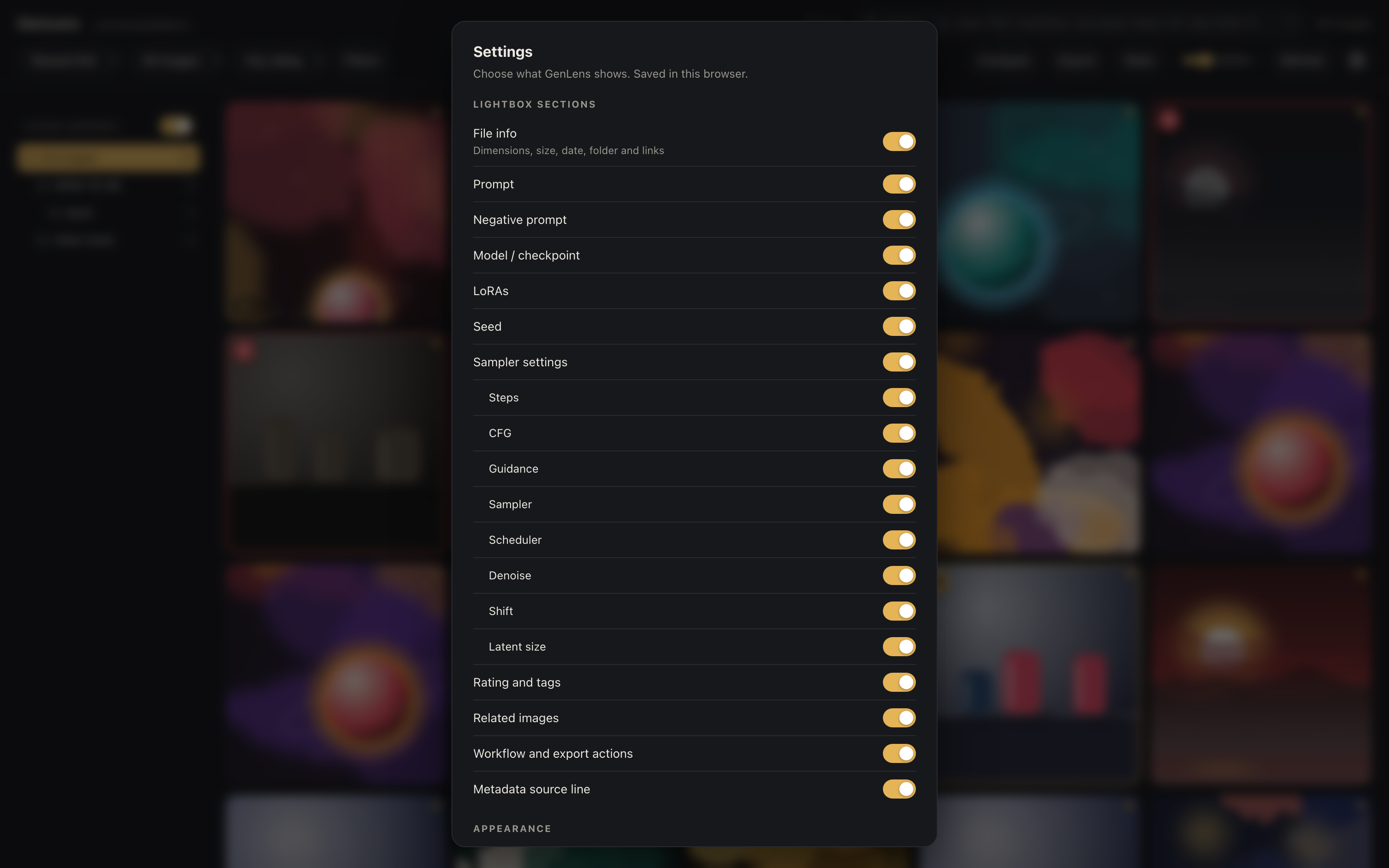
Hide sections you never need, choose dark or light, adjust thumbnail size. Settings are remembered per browser.
Private by design
A single Python file serving on localhost. No account, no upload, no telemetry. Your renders never leave your disk.
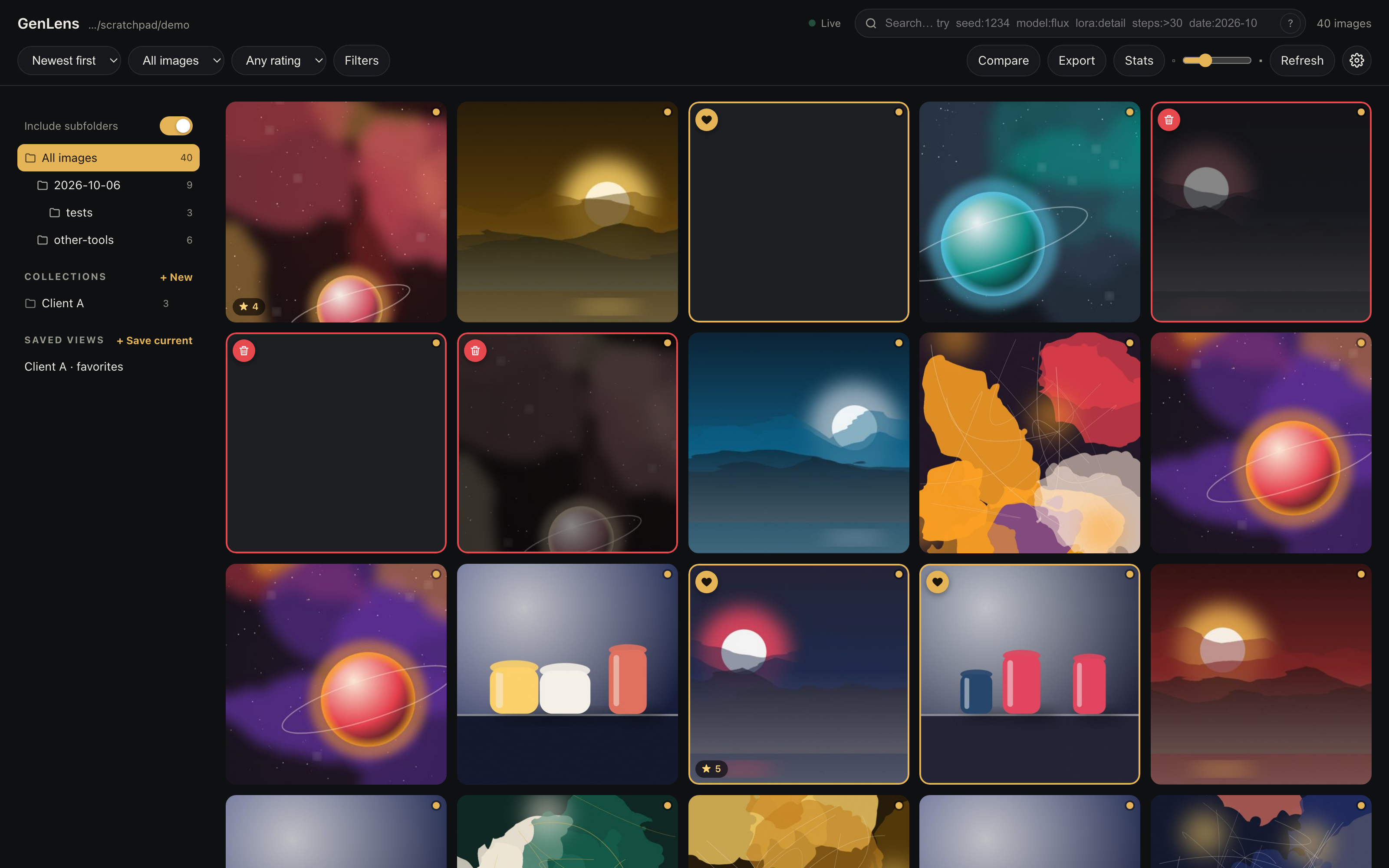
Browse like a gallery, not a file manager.
A clean grid, newest first, with a folder tree for your output folders. Favorites, ratings and deletion marks are visible at a glance. Keyboard shortcuts for everything you do often.
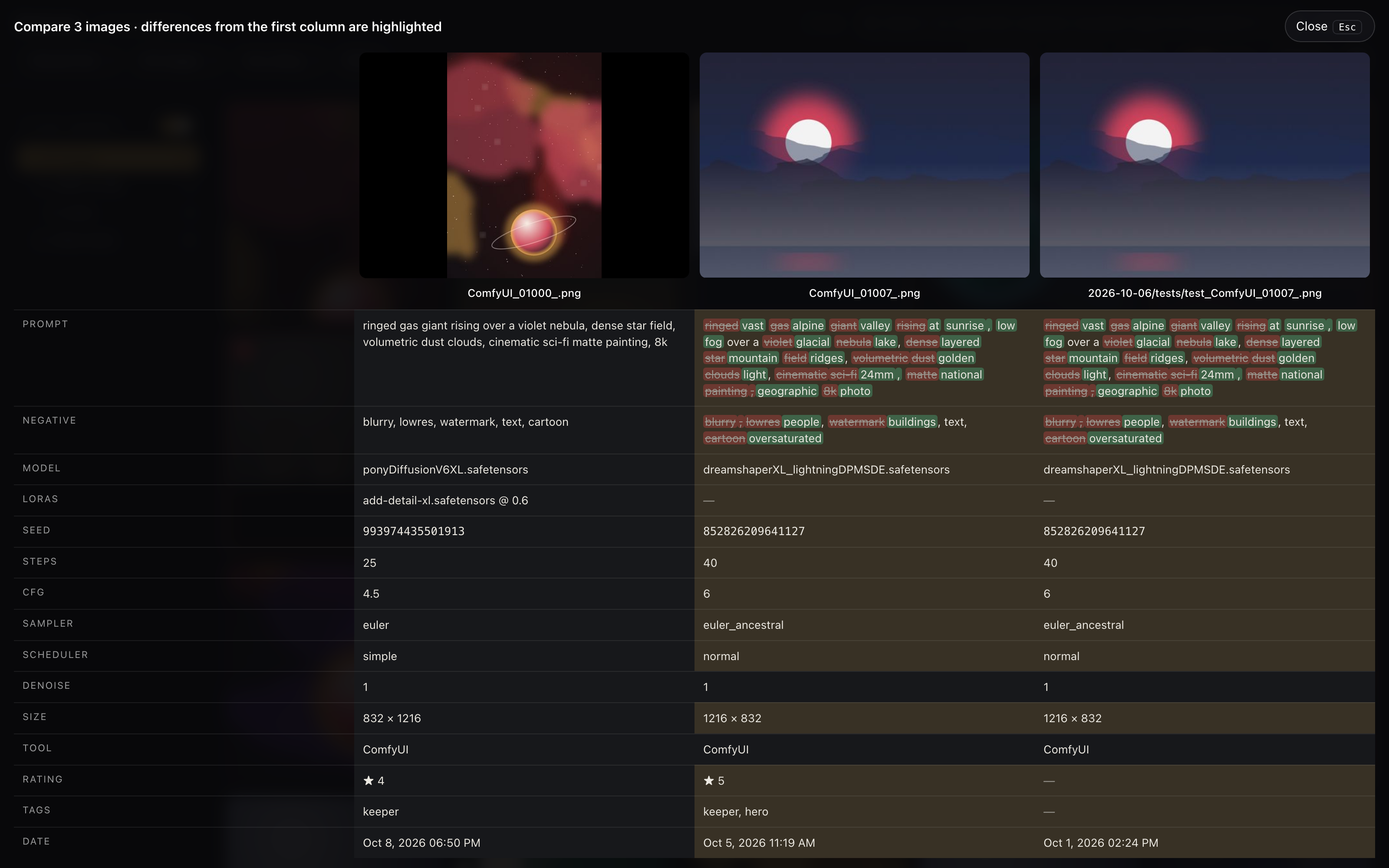
See exactly what changed.
Pick up to four images and compare them side by side. Settings that differ light up, and the prompts are diffed word by word. No more guessing which LoRA weight made the difference.
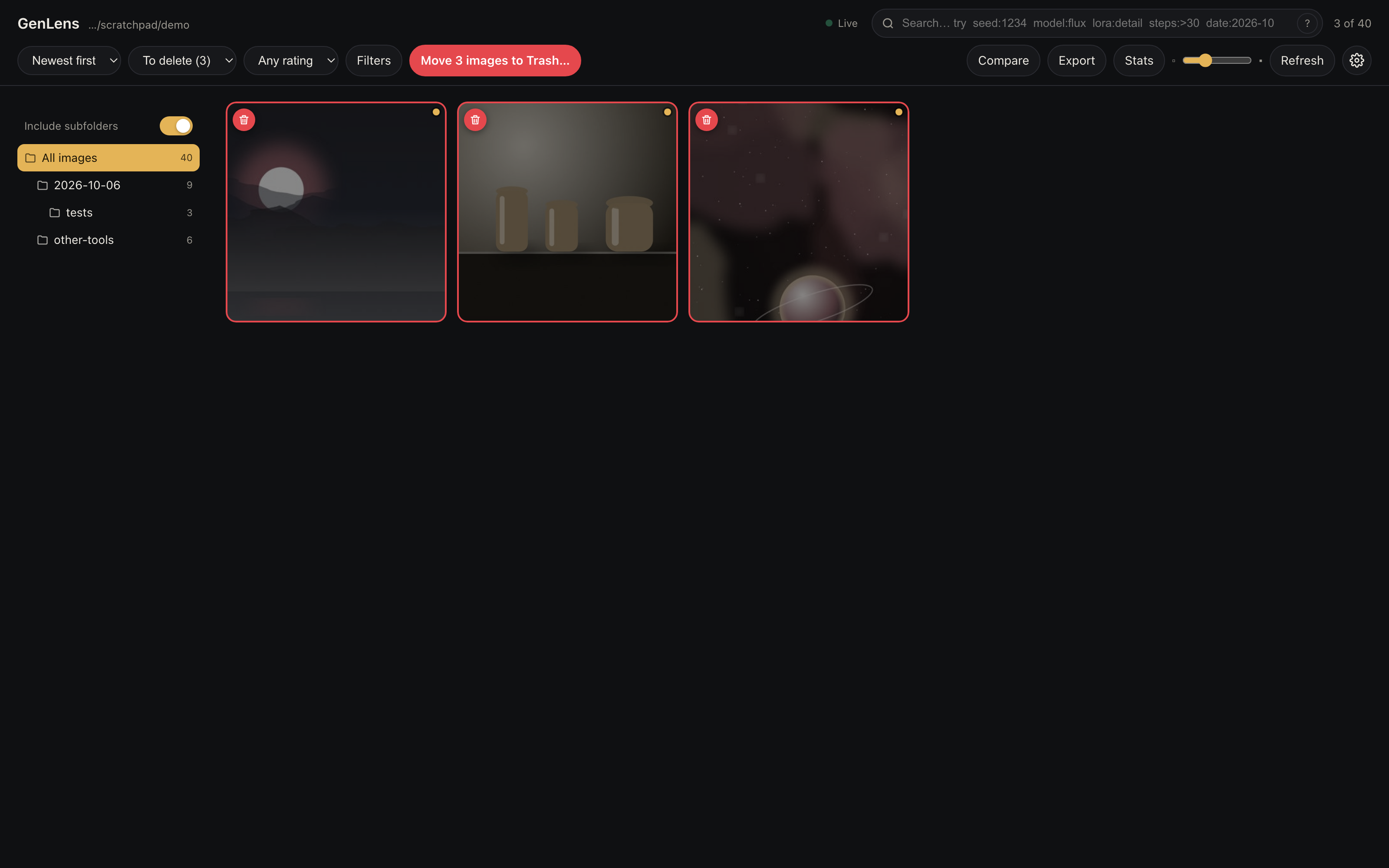
Clean up a session in seconds.
Mark the misses with one key while you browse. Switch to the “To delete” filter, review the list, confirm once. Files go to the Trash or Recycle Bin, not into the void.
Works with the tools you already use.
GenLens walks the generation graph generically instead of looking for fixed node names, so custom node packs usually just work.
Send options, not folders.
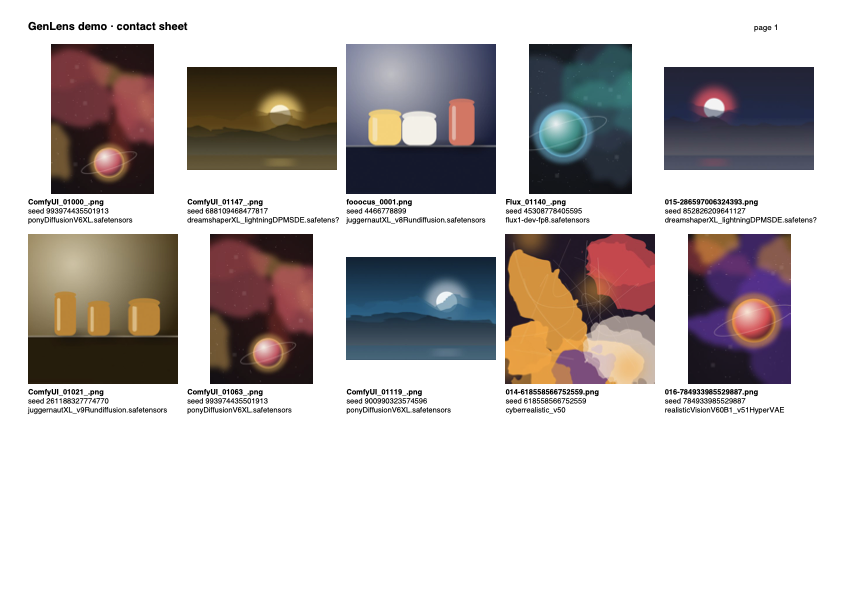
Turn a collection or a filtered view into a contact sheet with file names, seeds and models under each image, as PNG or a multi-page PDF. Or export a zip with the generation metadata stripped.
Up and running in a minute.
Drop it in
Copy GenLens into the folder with your images.
Double-click
The launcher starts a local server and opens your browser.
Browse
Click an image, read its recipe, copy what you need.
Requirements
Python is the only requirement. Everything else is already on your machine.
- Python 3.8 or newer (free, python.org)
- macOS 10.15+ or Windows 10+. Linux works too.
- Any modern browser: Chrome, Edge, Safari, Firefox
- Optional: Pillow for WebP thumbnails and identical behaviour on every platform
Make it look the way you like.
Dark or light, and only the metadata you care about.
The unlocked version is coming soon.
The trial is ready today.
GenLens is in its final stretch before sale. Until then, download the trial: the full program, limited to the 10 newest images of a folder, with export, contact sheets and the ComfyUI actions reserved for the licensed version. When keys go on sale, the same download unlocks in Settings.